

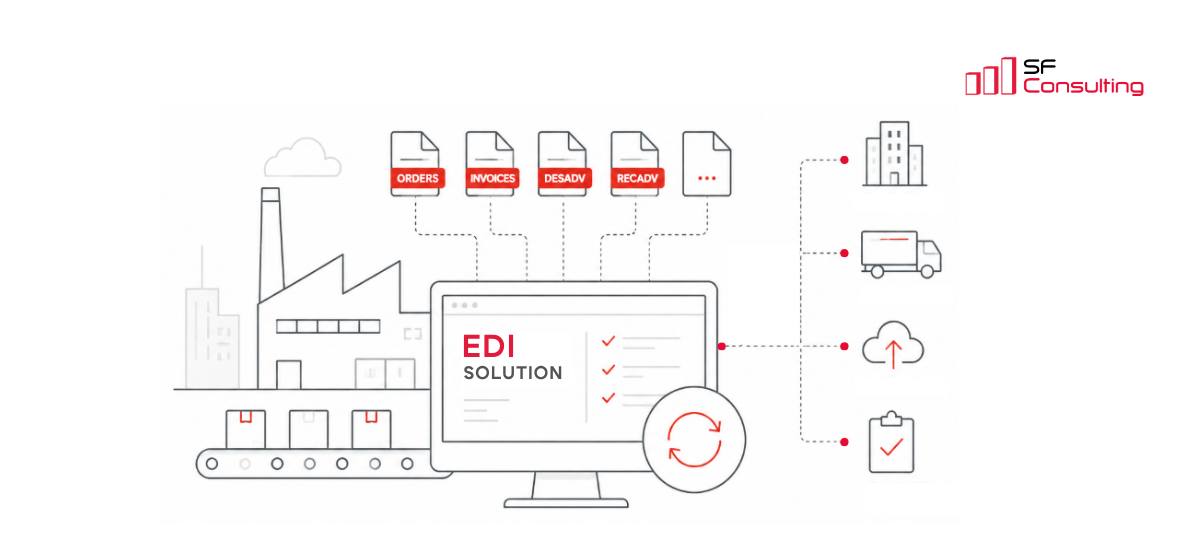
How We Built an EDI Solution for a Manufacturing Company on Microsoft Dynamics 365 Finance and Operations
In one of our projects, we worked with a large manufacturing company that uses Microsoft Dynamics 365 Finance and Operations as its core ERP system and is actively developing its digital interaction layer with customers, suppliers, and external EDI providers.
The client operates in the B2B market and works with large customers and retail networks, including Leroy Merlin. For a business of this scale, electronic document exchange isn’t just a way to reduce manual work. It’s an important element of operational efficiency. It affects order processing speed, data accuracy, and the reliability of partner interactions. In some cases, electronic document exchange is also a mandatory requirement from trading partners.
The client also had a strong understanding of the technical side of the project. This wasn’t a case where the business simply asked us to “load a document into ERP.” The client had a mature IT team that defined requirements for the EDI solution from the very beginning — not only from a functional perspective, but also in terms of performance, scalability, and architecture.
Our request was to launch a modern EDI solution that would take the company’s electronic document exchange to the next level and support the business in the long term.
Initial requirements
The client’s key requirements could be grouped into several areas.
First, the solution had to support electronic document exchange for more than 15 legal entities within the group. Each legal entity had its own suppliers, customers, EDI providers, and, accordingly, exchange formats. The solution had to support dozens of different formats. This immediately ruled out the approach of building a separate integration for each company.
Second, the client required a high level of configurability. Adding new documents, changing document structures, and configuring rules for a specific trading partner or group of trading partners had to be possible, where feasible, without code customization.
Third, support for non-standard documents was a separate requirement. Usually, the set of EDI documents is regulated, and most solutions on the market support a standard set of scenarios. But in the manufacturing B2B segment, it’s rarely possible to limit the scope to basic orders and invoices. Real document exchange includes confirmations, receiving advice, shipment documents, order responses, and other scenarios.
From the very beginning, the requirements also included dashboards, detailed monitoring, logging, data correction, and document reprocessing. The EDI solution had to show exchange errors promptly and provide tools to fix them without involving a developer.
Finally, and especially important for a cloud ERP system, the EDI solution had to be resilient to D365FO updates. Releasing a new version of the solution for every regular D365FO update would create excessive maintenance costs. We needed an architecture that wouldn’t break with every ERP system update.
Why we didn’t choose an off-the-shelf EDI solution
At the start of the project, we reviewed several off-the-shelf EDI solutions for Dynamics 365 Finance and Operations together with the client.
Such products often cover standard scenarios well: order import, invoice export, and basic XML mappings. But in this project, the goal wasn’t simply to automate a few standard flows. We needed to build a foundation for the long-term development of the client’s EDI landscape.
The main limitations we saw in off-the-shelf solutions were:
- closed architecture and delivery as a DLL without source code;
- limited customization and extensibility options;
- dependency on vendor support;
- inability to add new document types in some solutions;
- limited configuration flexibility: settings covered mappings for standard fields, while more complex scenarios required development;
- reliance on an older DMF-based approach;
- high cost of both the solution itself and annual support.
For our client, flexibility was a critical requirement. Their processes didn’t fit a fully standard model, and vendors weren’t ready to adapt their products to these scenarios. The client needed a solution that could be adapted to the company’s real B2B processes, rather than forcing the business to fit the limitations of a packaged product.
As a result, we decided to develop our own EDI solution — one that would meet the client’s requirements and become the foundation for further development of the integration landscape.
Architectural approach: staged processing
We didn’t build a direct data load into D365FO business tables. This approach may look faster at the beginning, but it doesn’t scale well: every change in a format or business rule starts affecting the processing code.
Instead, we built a staged architecture. To make the solution flexible enough for configuration and future extension, we separated data intake, orchestration, and business processing into dedicated layers with clear areas of responsibility.
Conceptually, the process works as follows:
1. An external document in XML, JSON, or another supported format enters the system and is stored unchanged in a technical table.
2. The orchestrator determines the document type, exchange direction, legal entity, trading partner, and processing scenario.
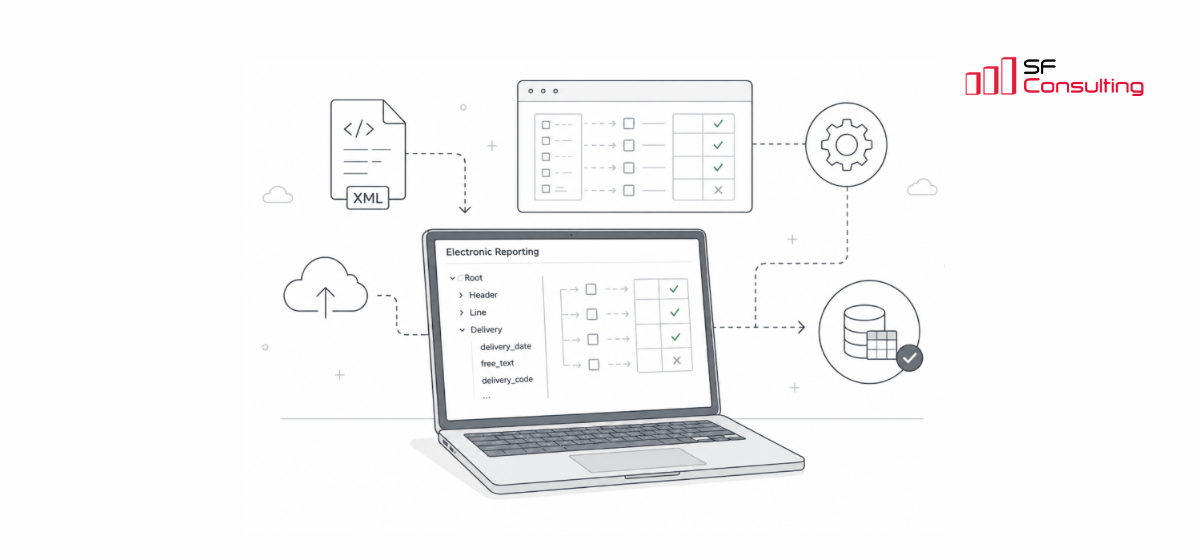
3. Electronic Reporting transforms the data from the external document into EDI tables.
4. A recurring batch job processes the EDI document by creating or updating business documents through standard D365FO business logic.
This separation isolates technical exchange from business processing. The document is stored in the system in its original form, so if processing errors occur, the team can analyze the document, correct data or settings, and restart processing without asking the trading partner to resend the document.
Why Electronic Reporting became a key element of the solution
We deliberately chose Electronic Reporting as the main data transformation mechanism.
For D365FO, this is an important architectural advantage. ER is a standard D365FO tool, fits well into the extensibility model, and allows a significant part of the logic to be moved from X++ development into the configuration layer.
Compared with Data Management Framework (DMF), this approach provides more flexibility for EDI scenarios. DMF is primarily focused on working through Data Entities and is well suited for bulk data import and export. But EDI often requires more complex logic: working with actual tables, value transformations, conditional rules, and formatting. Electronic Reporting allows such transformations to be added much more flexibly.
In practice, using ER gave us several additional advantages.
1. Changes in exchange scenarios became less expensive. If we need to change a mapping, add a field, adapt a structure for a new partner, or change a value format, in many cases this can be done by changing the ER configuration — without X++ development and without a code release.
2. Support became closer to the functional team. Some tasks can be handled by a consultant or a trained key user who understands business documents, data structures, and exchange rules — not only by a developer.
3. The solution became more resilient to updates. We didn’t use non-standard mechanisms, reflection-based customization, or heavy intervention in the ERP core. This reduces technical debt and lowers the risks related to D365FO updates in the long run.
Supported document types
The solution wasn’t designed as a module only for invoices or orders. We needed to cover a broader set of manufacturing, procurement, and logistics scenarios — all document types that the client planned to exchange with trading partners.
The framework currently supports the following document types:
- Sales Orders;
- Sales Order Responses;
- Sales Packing Slips;
- Sales Receiving Advice;
- Sales Invoices;
- Purchase Order Confirmations;
- Purchase Responses;
- Purchase Packing Slips;
- Purchase Receiving Advice;
- Purchase Invoices.
Both inbound and outbound flows are supported. Importantly, inbound and outbound scenarios use the same architecture: the exchange direction and processing rules differ, but the overall solution concept remains the same. This simplifies support and the addition of new document types.
Monitoring and reprocessing
In EDI projects, you can’t design only for the happy path. Monitoring and reprocessing aren’t additional features in our solution — they’re part of the architecture.
Documents may arrive with errors. Partners may change formats. Mandatory values may be missing from the data. So sometimes a document needs to be reviewed, manually corrected, and processed again.
That’s why the solution includes:
- dashboards for processing and error monitoring;
- detailed logging;
- document tracking across processing stages;
- status monitoring;
- error analysis capabilities;
- data correction;
- document reprocessing.
For the operations team, this is critical. Without transparent monitoring, EDI quickly becomes a black box where an error becomes visible only when an order isn’t created or an invoice isn’t sent.
In addition to functional monitoring inside D365FO, we used the standard D365FO monitoring and telemetry capabilities to track the technical performance of the EDI framework. Custom telemetry signals can be sent to Azure Application Insights, allowing the team to monitor key events, traces, exceptions, and performance metrics across the processing flow.
This gives the support team a broader view of the solution: not only whether a document was processed successfully, but also how the integration layer performs over time, where bottlenecks appear, and how the system behaves as document volumes grow.
Our goal was to give the business and support teams a clear control tool: they should be able to see what happened to a document, which stage it’s currently in, and where intervention is required.
Scale and current load
At the current stage, for just one company in the group, the solution processes around 250–300 outbound documents and about 100 inbound documents per day.
This isn’t the maximum load. It’s a live production scenario from the first phase and one legal entity. The architecture was designed for further rollout to other companies, new document types, and new trading partners, with the potential to increase the load by tens of times.
From the beginning, we designed the architecture around the principle that growth of the EDI landscape shouldn’t lead to a linear increase in support complexity or performance issues. That’s why we focused on configuration, component reuse, and clear separation of processing layers.
Cost of ownership and business impact
In EDI projects, it’s important to evaluate not only the initial implementation cost, but also the total cost of ownership over several years. This includes initial purchase or development costs, implementation, configuration and testing, annual licenses or subscriptions, support and updates, adding new documents, connecting new trading partners, rolling the solution out to new legal entities, and possible fees for exchange volumes or expanded use.
In our case, the client invested around 800 hours of team effort into the development of its own EDI framework. This was a one-time investment in a solution designed for the client’s multi-company landscape, real documents, and operational requirements.
The development cost was lower than the annual license cost of one mature EDI product that was considered as an alternative. At the same time, the client didn’t receive a generic packaged product that still needed to be adapted to its processes. Instead, the client received its own platform inside D365FO.
The business impact isn’t only about lower initial cost. More importantly, the cost of future development is reduced. New documents, format changes, additional trading partners, and rollout to other legal entities can often be handled through configuration and Electronic Reporting — without additional license fees for expanded use, which are typical for some off-the-shelf products, and without waiting for vendor development.
This approach also reduces architectural risks. The client has full access to the source code, the solution isn’t dependent on a closed external engine, and it doesn’t contain inherited legacy code from older Axapta versions or generic scenarios that the specific business doesn’t need. We built the framework from scratch based on the client’s requirements, so it doesn’t include unnecessary logic for non-existent processes.
As a result, the client received not only a working EDI integration, but also its own managed platform. The more companies, trading partners, and document types are connected in the future, the stronger the economic effect becomes: the cost of scaling the framework grows much more slowly than the cost of owning a closed licensed product.

Keep up to date with new articles before anyone else, subscribe to our mailing list
Table of Contents




Thank you for the request!
We will get back to you soon.