

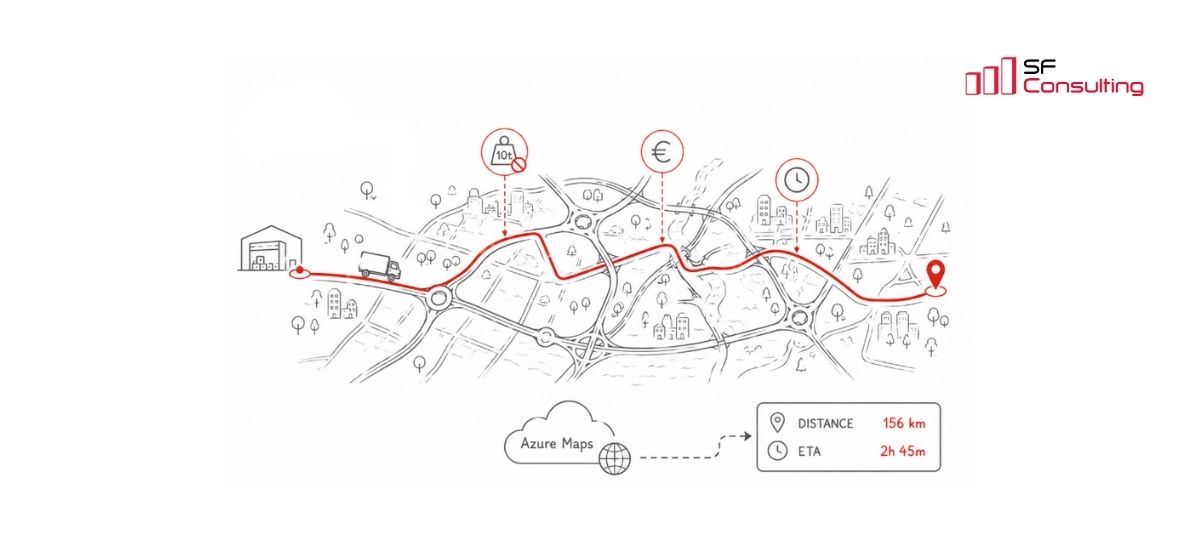
How we implemented truck routing in D365FO with Azure Maps
In projects based on Dynamics 365 Finance and Operations, logistics teams sooner or later raise the same requirement — improving delivery planning.
This is usually not part of the initial implementation phase. Early focus is on sales, procurement, and warehouse processes. But once the system is live and volumes grow, the need shifts from recording shipments to planning them.
The requirements may vary, but the underlying questions are always the same:
· how long delivery will take
· which delivery dates can be realistically confirmed
· how many deliveries or trips can be completed per day
· how the route impacts delivery cost
At a data level, everything is already available — addresses, orders, warehouses. However, this is not enough to answer these questions.
To make planning reliable, additional factors must be considered:
· truck routes differ from passenger routes
· road restrictions (weight, size, access) affect route selection
· route conditions (tolls, restrictions, road type) impact time and cost
· traffic and urban infrastructure influence actual travel time
In practice, this means that addresses alone are not sufficient. The system requires an external source of routing and travel time data. This is where integration with mapping services becomes necessary.
In one of our projects, this requirement became very clear. The client delivers construction materials between production sites and customer locations using trucks. The goal was to automate distance and travel time calculation to improve delivery planning and vehicle utilisation.
Choosing a Mapping Service
Before selecting a solution, we evaluated several options typically used in enterprise systems.
Bing Maps
Bing Maps was historically used in Microsoft-based solutions and supported routing scenarios, including trucks.
However, the service has been officially deprecated. New subscriptions are no longer available, and existing Enterprise contracts will be supported only until June 30, 2028:
https://learn.microsoft.com/en-us/dynamics365/commerce/dom-set-up
Specialised Logistics Services
Solutions such as HERE, PTV and similar platforms:
- provide high routing accuracy
- consider a wide range of factors (truck restrictions, toll roads, environmental zones, etc.)
- offer advanced route optimisation capabilities
At the same time, these solutions introduce additional complexity:
- separate vendor, contract and licensing model
- separate integration with Dynamics 365 Finance and Operations that must be maintained
- an additional system component that requires ongoing support
In practice, this means introducing a separate logistics tool alongside the ERP system.
This approach makes sense when logistics is a core business function and requires advanced optimisation. In our case, the objective was different — we needed to embed routing and travel time calculation directly into D365FO processes for planning purposes.
The client also evaluated one of these solutions and identified practical limitations, including relatively infrequent map updates and a lack of transparency in the commercial model for enterprise customers.
As a result, we were looking for a solution that could be integrated into the existing D365FO architecture without adding unnecessary complexity or cost.
Azure Maps
Azure Maps is Microsoft’s strategic geospatial platform for mapping and routing within the Azure and Dynamics 365 ecosystem.
The Azure Maps Route API provides a broad set of routing parameters, including transport type, route restrictions, truck characteristics, departure time, alternative routes, and response configuration.
In addition, Azure Maps integrates naturally with D365FO:
- partial support is available in standard functionality
- operates within the Azure ecosystem
- supports native authentication via Azure AD
This means there is no need to implement custom security mechanisms for external API integration.
Documentation: https://learn.microsoft.com/en-us/rest/api/maps/?view=rest-maps-2026-01-01
Azure Maps in standard D365 functionality
Azure Maps is already used in a specific standard scenario within Dynamics 365 Commerce (Distributed Order Management), starting with version 10.0.43:
https://learn.microsoft.com/en-us/dynamics365/commerce/dom-set-up
In this scenario, Azure Maps is used as part of the order allocation logic in Distributed Order Management: the system takes into account product availability at warehouses and calculates the distance to the delivery address, using it as one of the factors when selecting the optimal warehouse to fulfil the order.
However, this standard implementation is limited:
- available only within Dynamics 365 Commerce (DOM)
- not applicable to custom transport processes in D365FO
- no control over routing parameters
- no support for truck-specific routing
- only distance is returned — no travel time (ETA)
This is not sufficient for delivery planning, so we extended the integration to meet the client’s requirements.
Extending the standard approach
We did not extend the standard DOM implementation. It belongs to the Dynamics 365 Commerce, requires additional configuration, and may involve separate licensing.
Instead, we implemented our own integration service with Azure Maps based on standard principles and extended it with additional routing parameters and configuration options.
From a user perspective, the process is straightforward:
- user selects origin and destination
- system calculates distance and travel time
- results are stored and used in route planning
The solution resulted in more accurate delivery planning, more realistic delivery dates, and more predictable delivery execution.
Azure Maps Costs
Azure Maps uses a pay-as-you-go model (payment based on actual usage), meaning that costs depend on the number of API requests.
For the Route API:
- 1,000 transactions per month are free
- additional usage costs $4.50 per 1,000 transactions
Example:
If the system performs around 10,000 route calculations per month, 9,000 transactions are billed, resulting in approximately $40.50 per month.
Source: https://azure.microsoft.com/en-us/pricing/details/azure-maps/
Usage can be optimised further. For example, coordinates can be stored in D365FO and reused instead of being requested repeatedly. We implemented this approach in the project to reduce API calls and costs.
Summary
Azure Maps proved to be a flexible and sufficiently capable service for routing and delivery planning scenarios.
Beyond calculation, it can also be used for visualisation — for example, displaying routes directly in D365FO so users can see not only numeric results but also the actual path.
If you are facing similar challenges in Dynamics 365 Finance and Operations, there are practical ways to address them within the system architecture.
We have already implemented this approach in real projects and can share practical insights based on real project experience.


Keep up to date with new articles before anyone else, subscribe to our mailing list
Table of Contents








Thank you for the request!
We will get back to you soon.